
AI recording library
All your AI meeting recordings. Searchable and access-controlled.
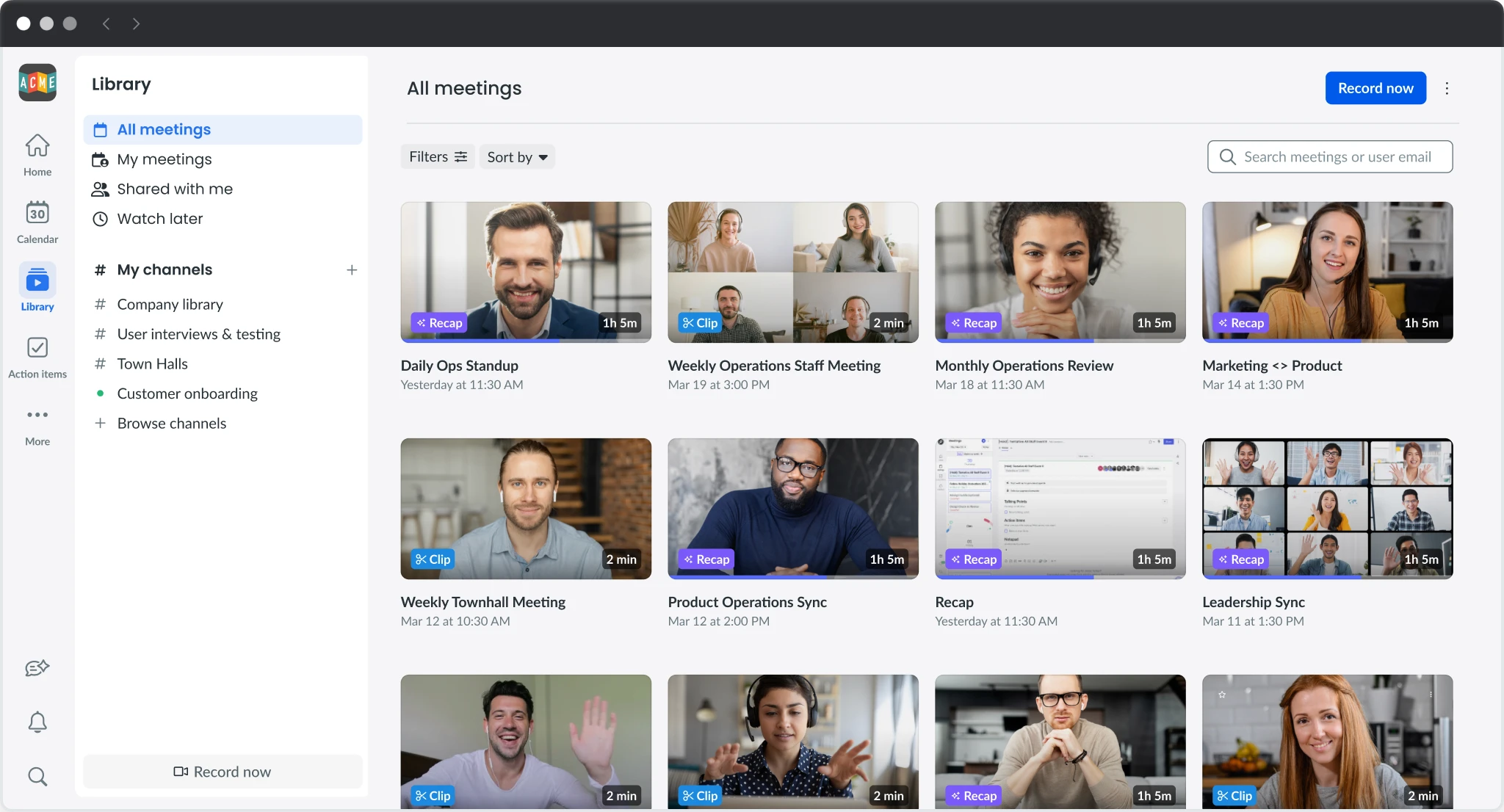
Fellow's recording library centralizes every recording, AI summary, and transcript — whether it happened on Zoom, Microsoft Teams, Google Meet, Slack, or in person — in one searchable, access-controlled workspace.
Our AI is never trained on your data. Click here to learn more.
AI recording library
All your AI meeting recordings. Searchable and access-controlled.
Fellow's recording library centralizes every recording, AI summary, and transcript — whether it happened on Zoom, Microsoft Teams, Google Meet, Slack, or in person — in one searchable, access-controlled workspace.
Our AI is never trained on your data. Click here to learn more.
AI recording library
All your AI meeting recordings. Searchable and access-controlled.
Fellow's recording library centralizes every meeting recording, AI summary, and transcript whether the meeting happened on Zoom, Microsoft Teams, Google Meet, Slack, or in person.
Our AI is never trained on your data. Click here to learn more.
Trusted by the most productive teams
Trusted by the most productive teams
Trusted by the most productive teams
Recordings library
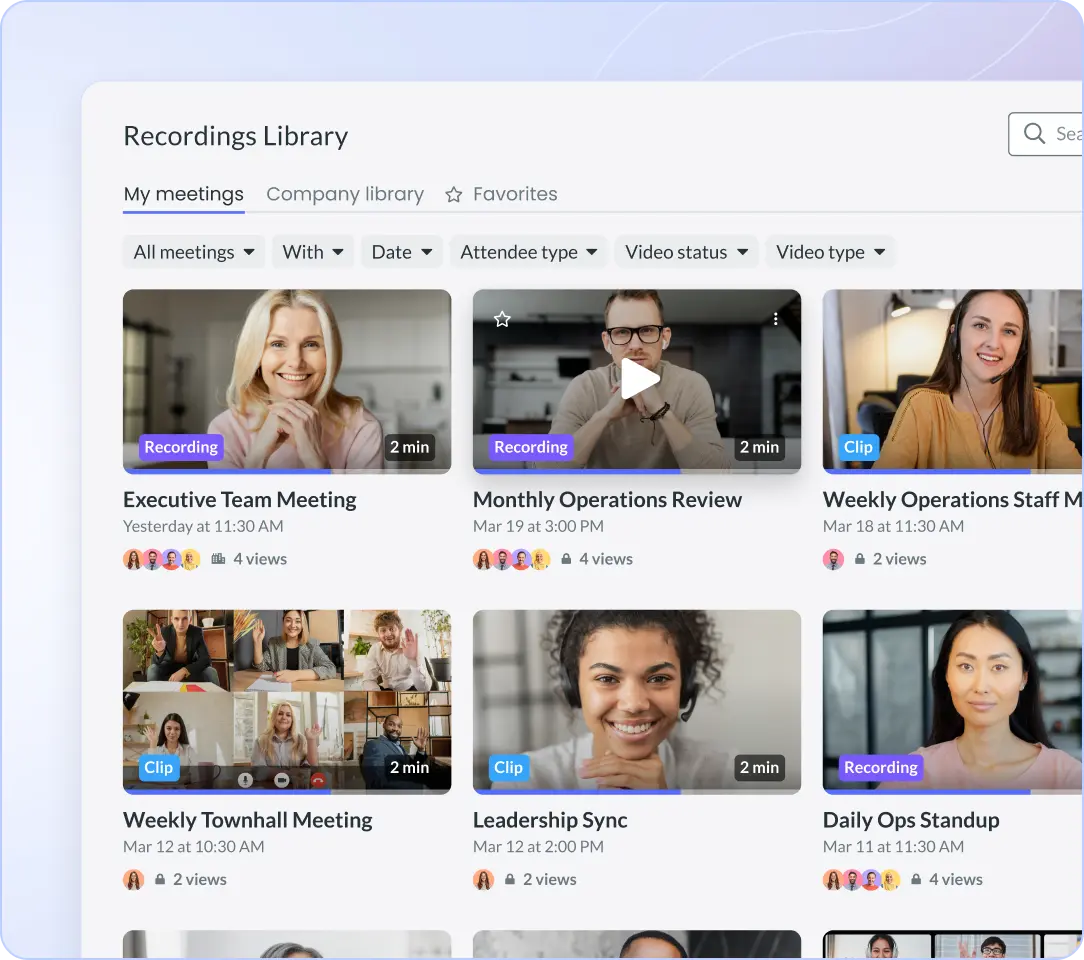
✔ Every meeting automatically captured and stored in one centralized, searchable library, no matter which video conferencing platform you used.
✔ Transcripts, AI-generated notes, and recordings from Zoom, Microsoft Teams, Google Meet, in-person, and hybrid meetings all live in the same place.
✔ Search across your entire meeting history by keyword, participant, date, or topic, without scrubbing recordings or digging through email threads.

Recordings library
✔ Every meeting automatically captured and stored in one centralized, searchable library, no matter which video conferencing platform you used.
✔ Transcripts, AI-generated notes, and recordings from Zoom, Microsoft Teams, Google Meet, in-person, and hybrid meetings all live in the same place.
✔ Search across your entire meeting history by keyword, participant, date, or topic, without scrubbing recordings or digging through email threads.
Recordings library
✔ Every meeting automatically captured and stored in one centralized, searchable library, no matter which video conferencing platform you used.
✔ Transcripts, AI-generated notes, and recordings from Zoom, Microsoft Teams, Google Meet, in-person, and hybrid meetings all live in the same place.
✔ Search across your entire meeting history by keyword, participant, date, or topic, without scrubbing recordings or digging through email threads.
Custom channels
✔ Organize your meeting library into dedicated channels by team, client, meeting type, or project so the right recordings surface for the right people.
✔ Create channels for recurring meeting types like customer calls, board briefings, compliance reviews, or all-hands, with consistent structure across every session.
✔ Auto-publish rules let you route new recordings into the right channel automatically, without manual sorting after every meeting.
Custom channels
✔ Organize your meeting library into dedicated channels by team, client, meeting type, or project so the right recordings surface for the right people.
✔ Create channels for recurring meeting types like customer calls, board briefings, compliance reviews, or all-hands, with consistent structure across every session.
✔ Auto-publish rules let you route new recordings into the right channel automatically, without manual sorting after every meeting.
Custom channels
✔ Organize your meeting library into dedicated channels by team, client, meeting type, or project so the right recordings surface for the right people.
✔ Create channels for recurring meeting types like customer calls, board briefings, compliance reviews, or all-hands, with consistent structure across every session.
✔ Auto-publish rules let you route new recordings into the right channel automatically, without manual sorting after every meeting.
Library access controls
✔ Each channel has its own permission settings, so you can make a company all-hands public while keeping executive strategy sessions strictly private.
✔ Admins set recording and access permissions at the organization, team, or individual user level, giving IT and compliance full visibility and control.
✔ Role-based access control (RBAC) ensures sensitive meeting content is only visible to the people authorized to see it, with no manual gatekeeping required.
Library access controls
✔ Each channel has its own permission settings, so you can make a company all-hands public while keeping executive strategy sessions strictly private.
✔ Admins set recording and access permissions at the organization, team, or individual user level, giving IT and compliance full visibility and control.
✔ Role-based access control (RBAC) ensures sensitive meeting content is only visible to the people authorized to see it, with no manual gatekeeping required.
Library access controls
✔ Each channel has its own permission settings, so you can make a company all-hands public while keeping executive strategy sessions strictly private.
✔ Admins set recording and access permissions at the organization, team, or individual user level, giving IT and compliance full visibility and control.
✔ Role-based access control (RBAC) ensures sensitive meeting content is only visible to the people authorized to see it, with no manual gatekeeping required.
Filters and trackers
✔ Filter your recording library by participant, date, meeting type, or company to find exactly the meeting you're looking for in seconds.
✔ Custom trackers automatically flag key terms, regulatory phrases, client commitments, and sensitive topics across all recorded meetings, creating a searchable signal layer across your entire history.
✔ Use trackers to monitor recurring themes across calls like competitor mentions, pricing discussions, or compliance triggers, without reviewing recordings one by one.
Filters and trackers
✔ Filter your recording library by participant, date, meeting type, or company to find exactly the meeting you're looking for in seconds.
✔ Custom trackers automatically flag key terms, regulatory phrases, client commitments, and sensitive topics across all recorded meetings, creating a searchable signal layer across your entire history.
✔ Use trackers to monitor recurring themes across calls like competitor mentions, pricing discussions, or compliance triggers, without reviewing recordings one by one.
Filters and trackers
✔ Filter your recording library by participant, date, meeting type, or company to find exactly the meeting you're looking for in seconds.
✔ Custom trackers automatically flag key terms, regulatory phrases, client commitments, and sensitive topics across all recorded meetings, creating a searchable signal layer across your entire history.
✔ Use trackers to monitor recurring themes across calls like competitor mentions, pricing discussions, or compliance triggers, without reviewing recordings one by one.
Review recordings anytime, anywhere
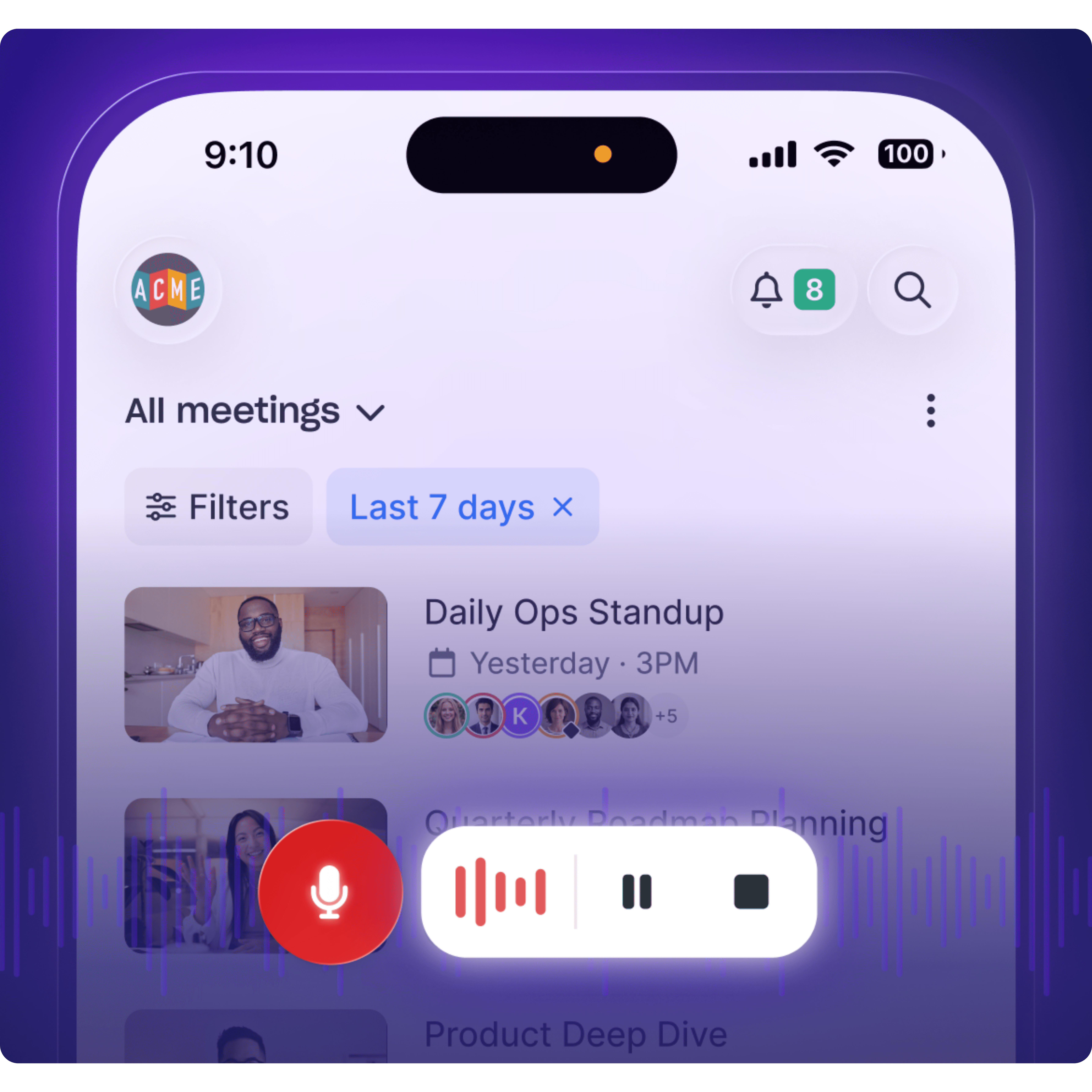
✔ Fellow's mobile app gives you full access to your meeting library on the go. Scroll through past recordings, review AI notes, and read transcripts from your phone.
✔ Jump into any meeting recap instantly to catch up on what was decided, what actions were assigned, and what the next steps are, without sitting through a replay.
✔ Available on iOS and Android, the mobile app keeps your entire institutional meeting history at your fingertips, whether you're between calls, traveling, or working off-site.
Review recordings anytime, anywhere
✔ Fellow's mobile app gives you full access to your meeting library on the go. Scroll through past recordings, review AI notes, and read transcripts from your phone.
✔ Jump into any meeting recap instantly to catch up on what was decided, what actions were assigned, and what the next steps are, without sitting through a replay.
✔ Available on iOS and Android, the mobile app keeps your entire institutional meeting history at your fingertips, whether you're between calls, traveling, or working off-site.
Review recordings anytime, anywhere
✔ Fellow's mobile app gives you full access to your meeting library on the go. Scroll through past recordings, review AI notes, and read transcripts from your phone.
✔ Jump into any meeting recap instantly to catch up on what was decided, what actions were assigned, and what the next steps are, without sitting through a replay.
✔ Available on iOS and Android, the mobile app keeps your entire institutional meeting history at your fingertips, whether you're between calls, traveling, or working off-site.
IT

"Fellow is easy to use - integrates with other applications - keeps me organized - I can access on my phone or the web and is truly a game changer to keep me organized"
Rob Kosier, Regional Director of IT - Penn Gaming

Marketing

"Fellow solves key problems around running meetings. Having everything in Fellow means we can track it and follow up on it"
Mychelle Mollott, CMO & Head of Sales at Knak
Engineering

"We had one standing meeting, and now we’re able to completely do it asynchronously thanks to Fellow"
Johan Van Heerden, VP of Engineering at Nintex

Operations

"Fellow makes a big impact because it makes it easy to be organized without it feeling like a huge lift."
Emilia Ceballos, Chief of Staff at KitchenSync

Customer success

"For me, the value of Fellow is peace of mind. Our most important resource is our people, and their most important resource is their time."
Stephen Hull, VP of Customer Experience at Dynatrace


Try Fellow for Free
Leaders in 100+ countries trust Fellow to securely capture their meetings. Get started today. No credit card required.
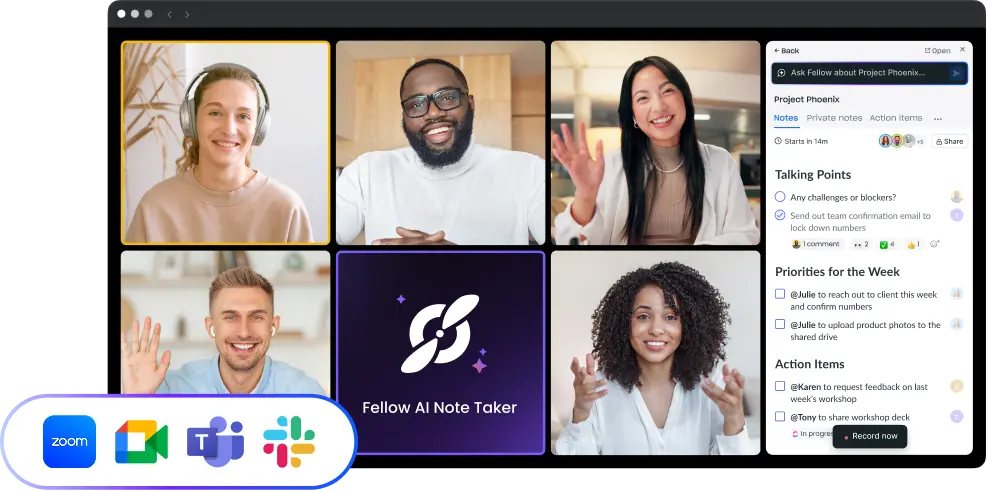

Try Fellow for Free
Leaders in 100+ countries trust Fellow to securely capture their meetings. Get started today. No credit card required.
Try Fellow for Free
Leaders in 100+ countries trust Fellow to securely capture their meetings. Get started today. No credit card required.