15 Best AI Meeting Summary Tools in 2026: The Complete Comparison Guide
•
20
MIN READ

AI Summary by Fellow
Meetings generate critical decisions, commitments, and action items, but without reliable documentation, that intelligence disappears the moment the call ends. Your team discussed the Q3 roadmap last week, but who remembers exactly what was decided? Someone promised to follow up with the client, but which meeting was that?
An AI meeting assistant solves this by automatically capturing, transcribing, and summarizing every conversation so your team can search past discussions, track accountability, and turn meetings into action.
The 2026 market offers dozens of AI meeting summary tools, but they vary significantly in accuracy, security, and integration capabilities. Transcription accuracy itself has become table stakes: most platforms now handle major accents and technical vocabulary reasonably well. What separates tools in 2026 is what happens after the transcript: how summaries are generated, how action items are distinguished from discussion, and whether the tool holds up under enterprise and regulatory scrutiny. This guide breaks down the 15 best options, how AI meeting summarization actually works, and which tools fit specific team types, including financial services, legal, and fintech.
Chosen by The New York Times Wirecutter as the best tool to summarize meetings. Wirecutter's review named Fellow its top pick for transcribing and summarizing meetings, citing its combination of accuracy and organizational search. Read the Wirecutter review →
What is an AI meeting summary tool?
An AI meeting summary tool automatically records, transcribes, and condenses meetings into structured summaries that capture key decisions, discussion points, and action items. Unlike basic transcription services, the best AI meeting summary tools use natural language processing to identify what matters most and organize it for easy reference.
Modern tools go beyond simple summaries. They create searchable meeting libraries where you can find specific discussions, extract commitments with assigned owners, and even query across multiple meetings to answer questions like "What did we decide about the pricing model?" or "Who committed to delivering the design mockups?"
For enterprise teams, security features like SOC 2 Type II certification, HIPAA compliance, and configurable retention policies determine which tools can be deployed company-wide without putting sensitive information at risk.
What features should you look for in an AI meeting summary tool?
The best AI meeting summary tools share several essential capabilities that separate genuinely useful solutions from basic transcription services:
Transcription accuracy across accents and technical terminology: Poor transcription makes summaries unreliable, though by 2026 most established tools handle this reasonably well.
Automatic action item extraction with owners and due dates: Summaries should pull out commitments, not just conversation highlights.
Searchable meeting intelligence: Recording meetings has limited value if you cannot find specific discussions later. Prioritize tools that let you query across your entire meeting history.
Integration with your workflow tools: Meeting insights should flow into your CRM, project management platform, or communication tools automatically. Check for native integrations with the tools your team already uses.
Enterprise-grade security and compliance: For organizations handling sensitive data, SOC 2 Type II certification, HIPAA compliance, and privacy controls that limit access based on roles are non-negotiable.
Flexible recording options: Some meetings call for a visible participant confirming the recording is happening; others call for discreet capture. The best tools offer both botless recording and traditional bot-based capture, along with in-person and Slack huddle support.
How does Fellow generate a meeting summary?
Most comparison guides list what a tool claims to do. Here's what actually happens between the end of a meeting and a summary landing in your inbox.
During the meeting, Fellow's AI listens for structural cues in the conversation, not just words. It tracks who's speaking, what topic is currently being discussed, and where the conversation shifts from open discussion to a specific resolution or commitment. That distinction matters because a meeting summary is only useful if it separates three different kinds of content:
Discussion: context and options that were talked through but not resolved
Decisions: a specific resolution the group reached ("we're moving the launch to October")
Action items: a commitment tied to a person and, ideally, a timeframe ("Ally will finalize the flow in the sandbox environment and schedule user testing")
A basic transcription tool hands you all of this as one undifferentiated block of text. Fellow's model is trained to recognize the language patterns that distinguish a commitment ("I'll handle X by Friday") from a passing comment ("we could maybe look at X eventually"), and to attach an owner where one is stated or clearly implied.
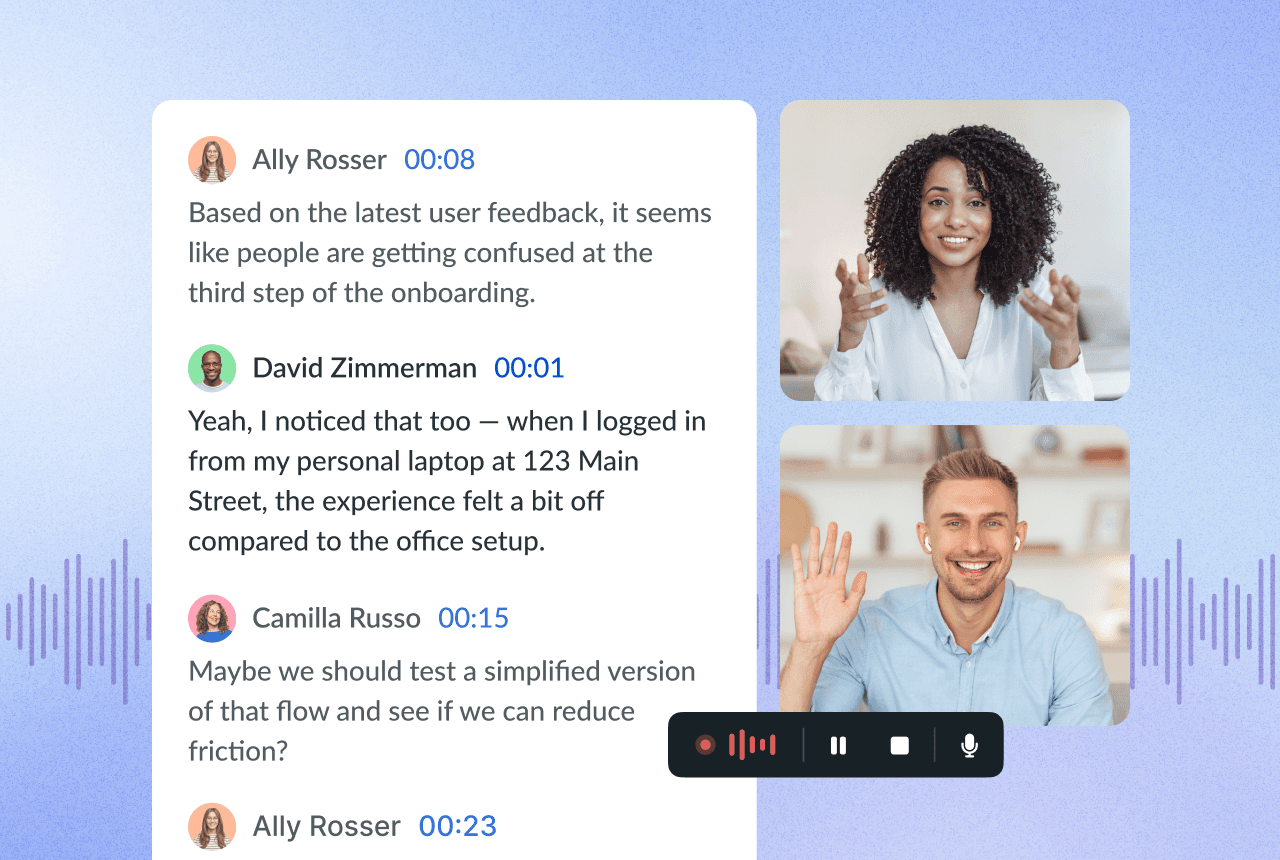
Here's what that looks like in practice, from an anonymized product sync:
Summary: The team reviewed progress on the current sprint and aligned on next steps for the upcoming release. Key topics included improvements to the onboarding flow, fixes in the analytics dashboard, and plans to roll out the new permissions model next week.
Action items:
Test the conversion-rate tracking updates and prepare a summary of results by Friday
Confirm the redirect issue with the domain login and share findings with the engineering team
Finalize the flow in the sandbox environment and schedule user testing
Topics:
Onboarding flow status
Analytics dashboard bug fixes
Permissions model rollout
After the meeting, the summary, action items, and topics are generated automatically and can sync to connected tools like Salesforce, HubSpot, Asana, or Jira, so commitments show up where the work actually happens instead of sitting in a recap email nobody opens. From there, Ask Fellow lets you query across this meeting and every other one in your history: "What did we decide about the permissions rollout?" pulls the answer without anyone re-watching the recording.
Retention is handled separately from the summary itself. Teams can configure Fellow so the raw recording and transcript are deleted immediately after processing completes, a zero-day retention option, while the AI-generated summary, action items, and decisions persist as the durable record. That's a governance choice a workspace admin sets, not something that happens automatically or without configuration.
This is the mechanism most "best of" lists skip past. It's also the reason summary quality varies more between tools than raw transcription accuracy does: the model has to correctly classify intent, not just transcribe words.
15 best AI meeting summary tools compared
1. Fellow
Fellow is the most secure AI meeting assistant, trusted by teams of all sizes for capturing conversations across Zoom, Google Meet, Microsoft Teams, in-person meetings, and Slack huddles. The New York Times Wirecutter picked Fellow as the best tool to summarize meetings. Fellow generates accurate, speaker-attributed summaries directly from full transcripts using advanced AI and structured templates, with zero training on your meeting data.
What sets Fellow apart is its focus on turning recordings into searchable organizational intelligence, and its enterprise-level security. Ask Fellow lets you query your entire meeting history with natural questions like "Where are projects getting blocked?" or "What commitments did we make to the client last month?"
Fellow is designed to support enterprise security and compliance programs with SOC 2 Type II certification, HIPAA and GDPR compliance, redaction controls, and configurable retention, including zero-day retention for recordings and transcripts independently. The platform never trains AI models on customer data, and permission-based access ensures sensitive conversations stay accessible only to authorized team members.
The platform also integrates with CRM tools like HubSpot and Salesforce, project management tools like Asana, Jira, and Linear, plus 50+ native integrations and 8,000+ apps via Zapier and n8n, along with an API and MCP Server for custom workflows.
Best for: Enterprise teams, and regulated industries specifically, that need to query insights across multiple meetings while maintaining strict security and compliance standards.
Pricing: Free plan available. Pro plans start at $7 per user per month.
2. Otter.ai
Otter.ai provides transcription and meeting summaries. The platform includes AI Chat for querying transcripts, Channels for organizing recordings, a Meeting Agent with voice-activated features, and a Sales Agent that generates CRM follow-ups. The bot joins calls as a visible participant. Language support includes English, French, and Spanish. Otter holds SOC 2 certification. HIPAA is available through an Enterprise add-on. Integrations include Salesforce, HubSpot, Slack, Jira, and Zapier.
Pricing: Free plan (300 minutes/month). Paid plans from $8.33 per user per month.
3. Fireflies.ai
Fireflies.ai automatically joins calls to record and transcribe meetings. The free tier includes unlimited transcription and AI summaries with 800 minutes of storage. Paid tiers add AskFred (AI chat for meetings), AI Apps (templates for emails and scorecards), clip creation, and conversation analytics. Supports 100+ languages. The bot joins calls as a visible participant. Holds SOC 2 Type II and GDPR on all tiers. HIPAA and SSO are available on Enterprise plans. Note: Fireflies is named in a pending BIPA class action filed in March 2026 (Fricker v. Fireflies.AI Corp., N.D. Ill.) and an earlier related case from December 2025, concerning voiceprint data collection. Integrations include Salesforce, HubSpot, Slack, Notion, Asana, and Zapier.
Pricing: Free plan (unlimited transcription/summaries, 800-minute storage). Paid plans from $10 per user per month.
Check out these Fireflies.ai alternatives to compare options.
4. tl;dv
tl;dv records meetings and provides real-time transcription in 40+ languages. Includes customizable summary templates, real-time translation, and follow-up email drafts. Sales-methodology templates (MEDDIC, BANT, SPIN) are available. The platform added a botless recording mode in 2026. Holds SOC 2 certification and is GDPR compliant with data hosted on EU-based servers in ISO 27001-certified data centers. Free tier includes unlimited recordings with 10 AI summaries per month. Integrations include Salesforce, HubSpot, Slack, Notion, and Zapier.
Pricing: Free plan (unlimited recordings/transcription, 10 AI summaries/month). Paid plans from $24 per user per month.
5. Fathom
Fathom records Zoom, Google Meet, and Microsoft Teams meetings. Generates AI summaries, action items, and keyword alerts. Does not record video. Added bot-free capture mode in 2026 for Google Meet (Zoom and Teams still require the visible bot). Holds SOC 2 Type II certification and is GDPR compliant. HIPAA eligibility available. Free tier includes unlimited recording with 5 advanced AI summaries per month. Includes a 90-day money-back guarantee on paid plans. Integrations include Salesforce and HubSpot on higher tiers.
Pricing: Free plan (unlimited recording, 5 advanced AI summaries/month). Paid plans from approximately $16 per user per month annually.
Check out other Fathom alternatives for AI notes to explore options.
6. MeetGeek
MeetGeek records meetings and supports offline recording. Includes meeting-type auto-detection and customizable templates. Offers Sales Mode with objection detection and competitor mention tracking. Features multi-meeting analytics and a Copilot Mode. The bot auto-joins calendar-detected meetings. Holds SOC 2 Type II certification and is GDPR and HIPAA compliant. CRM integrations available for HubSpot, Salesforce, and Pipedrive. Pro and higher tiers include unlimited Zapier, Make, and n8n automation. Free tier has no third-party integrations.
Pricing: Free plan (3 to 5 hours/month). Paid plans from $9.99 per user per month annually.
7. Read.AI
Read.AI records meetings and includes participant Engagement Scores measuring talk time and sentiment. Offers native bot-less capture for Google Meet specifically. Available as a Zoom Essential App. Launched Search Copilot in 2026, which searches across meetings, email, and messages. Holds SOC 2 Type II certification and is GDPR compliant. HIPAA available via BAA on annual Enterprise+ plans only. Some organizations have restricted Read.AI on their platforms due to participant consent concerns. Integrations include Slack, HubSpot, Salesforce, Notion, and Zapier.
Pricing: Free plan (5 meetings/month). Pro plans from approximately $15 per user per month annually.
Explore more alternatives to Read AI for comparison.
8. Sembly AI
Sembly AI records Microsoft Teams, and Webex. Includes Glance Cards, which structure meetings into timestamped Discussion Topics, Decisions, Issues, Requirements, Events, and Tasks. Supports 48 languages. Offers Semblian 2.0 for automatic document generation and multi-meeting AI chat. Bot joins calls as a visible participant. Holds SOC 2 Type II certification and is GDPR compliant. Microsoft 365 certified. US and EU data residency options available. HIPAA with signed BAA available on MAX and Enterprise tiers. Restructured pricing in March 2026.
Pricing: Free/Personal tier (approximately 60 minutes/month). Paid plans from approximately $10 to $15 per month annually.
9. Avoma
Avoma provides meeting recording, call scoring, and conversation analytics across Zoom, Google Meet, Microsoft Teams, and phone calls. Includes a scheduler and lead router, deal risk and pipeline forecasting features, and automated follow-ups. Launched Deal Methodology Intelligence in March 2026 (MEDDICC/BANT scoring) and web search integration. Does not offer a permanent free tier (14-day trial only). Holds SOC 2 Type II certification and is GDPR compliant with AES-256 encryption at rest. HIPAA available via BAA on Enterprise plans. Conversation Intelligence and Revenue Intelligence are add-ons. Integrates with HubSpot, Salesforce, Pipedrive, and Slack.
Pricing: No free tier. Paid plans start at $19 per seat per month annually.
10. Grain
Grain records meetings through a desktop app that can capture audio without a visible bot joining the call. Includes clipping tools to create shareable video moments, Trackers for monitoring keyword and competitor mentions, and a searchable knowledge base. Offers deal and coaching analytics for revenue teams. HubSpot integration is native and two-way; Salesforce support is available but less integrated. No mobile app or in-person capture. Holds SOC 2 certification and is GDPR compliant. Unlimited recordings included on all paid tiers.
Pricing: Free plan available (limited). Paid plans from approximately $15 per seat per month.
11. Notta
Notta provides transcription in 58 languages with bilingual transcription and real-time translation available as add-ons. Records Zoom, Google Meet, Microsoft Teams, and Webex via a bot that joins calendar-detected meetings. Includes Notta Brain for querying meeting history and auto-generating slides or infographics. Supports custom vocabulary for English and Japanese. Holds SOC 2 Type II and ISO 27001 certification, hosted on AWS. HIPAA compliance available. CRM integrations (Salesforce, HubSpot, and five others) available on Business tier and above. Free tier is limited (120 minutes/month with 3-minute per-file cap).
Pricing: Free plan (120 minutes/month, 3-minute file cap). Paid plans from $8.17 per user per month annually.
12. Supernormal
Supernormal records meetings through a desktop app with no visible bot. Supports in-person meeting capture via the app. Generates meeting notes and action items. Moved to AI agents in 2026 that can generate presentations, briefs, and campaign strategies from meeting and document context. Meetings are grouped into projects. Switched to credit-based pricing in April 2026 (shared across teams rather than per-seat). Holds SOC 2 certification with periodic security reviews, is HIPAA compliant, and is GDPR compliant. Integrations include Slack, Google Docs, Microsoft Teams, and CRM tools, with MCP support.
Pricing: Free tier available (approximately 10 to 15 meetings/credits per month). Paid plans from approximately $18 per user per month.
13. Tactiq AI
Tactiq AI is a Chrome extension that transcribes Google Meet, Zoom, and Microsoft Teams meetings without joining as a visible participant. Generates AI summaries and action items during the call. Supports 60+ languages. Transcripts are visible only to the user who installed the extension. Supports reusable custom AI prompts. Does not record audio or video, has no mobile app, and cannot search across past meetings. Action items must be exported manually. Holds SOC 2 Type II certification. Integrations include Slack, Notion, HubSpot, Linear, and Google Docs.
Pricing: Free plan (10 transcripts/month, 5 AI credits/month). Pro plans from approximately $8 to $12 per month.
14. Sonix
Sonix is a file-based transcription platform rather than a live meeting bot. Supports transcription in 53+ languages and translation into a similar range. Includes automated subtitles, speaker labels, timestamps, PII redaction, and custom dictionaries. Accessed through file upload, Zapier, Zoom, Adobe Premiere, or a developer API. No live bot or mobile app. Holds SOC 2 Type II and ISO 27001 certification. HIPAA-ready processing available through Medical Sonix with BAA. Uses pay-as-you-go pricing by audio hour rather than monthly minute allowances.
Pricing: Pay-as-you-go from approximately $10 per audio hour. Subscription plans from $25 per month.
15. Meeting.ai
Meeting.ai records Zoom, Google Meet, Microsoft Teams, and supports in-person capture through browser or mobile. Does not support Webex. Generates AI outputs including mind maps, decision maps, and flow diagrams. Produces pre-meeting outputs (draft decks, briefs) and post-meeting deliverables (editable PowerPoint, Excel, Word, PDF files, and podcast-style audio recaps). Supports 30+ languages. No published SOC 2, ISO 27001, or HIPAA certifications. No public API. Limited CRM or communication-platform integrations.
Pricing: Freemium model. Paid tier pricing not publicly available; quote required from vendor.
AI meeting summaries for financial services teams
Financial services firms, including private equity, hedge funds, and investment banks, need meeting summaries that hold up under regulatory and litigation-hold obligations, not just ones that save time. Legal and compliance teams typically evaluate an AI meeting assistant on three things: what happens to the raw recording, who can access it, and whether the audit trail is defensible in an exam.
Retention that separates the record from the raw material. A workspace can configure zero-day retention so source recordings and transcripts are deleted after processing completes, while AI-generated summaries, action items, and decisions persist as institutional memory. This decoupled model may help reduce discovery exposure tied to verbatim recordings and MNPI-adjacent conversations while preserving the context a compliance team actually needs to reconstruct what happened in a meeting. This is a data governance configuration a firm's legal and compliance function sets, not a guarantee of regulatory outcomes, and firms should consult counsel on how it fits their specific retention obligations.
Governance over what gets captured. Granular recording controls let a firm define which meeting types are always captured, never captured, or left to user discretion, with information barrier policies available between business units. Pause and resume recording lets any attendee stop capture the moment a conversation moves into privileged or proprietary territory, with the pause event independently logged.
Audit-ready retrieval. A Super Admin API allows compliance teams to retrieve meeting records and produce deletion logs formatted for production in regulatory examinations, without manual assembly. A compliance portal gives legal and compliance staff a single place to search, flag, and review meetings across the workspace, with AI trackers surfacing potential MNPI or PII mentions for review rather than requiring anyone to read every transcript.
If your team is currently piecing together compliance workflows across a recording tool, a separate review process, and manual retention tracking, that's exactly the gap Fellow is built to close.
AI meeting summaries for law firms
Law firms have a narrower problem than general enterprise buyers: privilege. A meeting summary tool that captures everything indiscriminately is a liability in a profession where "everything said in this call" and "everything that should be discoverable" are not the same set.
Redaction before distribution. Attendees can identify and redact sensitive information, names, account numbers, or flagged terms, from a transcript, recording, summary, or action items before it's shared or synced to connected systems, and regenerate the recap afterward.
Recording that respects the moment. Botless recording is best understood as a governance and perception choice rather than a technical auditability difference: it captures audio without a visible participant joining the call, which some firms prefer for client-facing conversations where a visible bot changes the dynamic. Firms that prefer a visible indicator that a call is being recorded, for standardization or client expectation reasons, can require bot-based capture instead. Both modes produce the same underlying audit trail.
Consent as a documented workflow. Customizable consent disclosures help firms document recording notices, logging disclosure events and timestamps for review, which matters in jurisdictions and client relationships where consent needs to be demonstrable, not just assumed.
Access that matches the matter. Permission-controlled libraries and role-based access ensure a given matter's recordings and notes are visible only to the attorneys and staff assigned to it, consistent with how firms already think about information barriers between practice groups.
None of this substitutes for a firm's own privilege review process. It's infrastructure that makes that process faster to execute and easier to demonstrate afterward. Learn more about Fellow for legal teams.
AI meeting summaries for cross-functional enterprise teams
Enterprise companies such as FINTECHs have a structural challenge financial incumbents don't: the same meeting intelligence platform has to serve engineering standups, sales calls with regulated financial institution clients, and compliance reviews, often within the same workspace and sometimes within the same meeting.
One governance layer, applied consistently. Workspace-level policies, such as recording rules, retention schedules, and access permissions, apply the same way whether the meeting is a sprint planning session or a client onboarding call. A compliance team doesn't need to separately vet a tool for engineering and a different one for the sales org.
Search that crosses departmental lines. Ask Fellow queries aren't scoped to a single team's meetings by default. A question like "what did we commit to on data residency in our last three calls with this client" can pull from sales calls, engineering syncs where the feature was scoped, and legal review sessions, giving a fuller picture than any single department's notes would.
Action items that land in the right system. Because commitments sync to CRM tools like Salesforce and HubSpot and to project tools like Jira and Asana, a compliance commitment made in a client call and an engineering commitment made in a sprint review both flow to where the relevant team already works, instead of getting stuck in a shared meeting notes doc nobody outside that meeting reads.
Trackers that flag without requiring universal review. Rather than manually reviewing every meeting across every department, teams can define trackers for specific terms, regulatory trigger phrases, client commitments, or flagged keywords, and get a searchable signal layer across the entire meeting history instead.
Learn more about Fellow for enterprise teams.
How do AI meeting summaries connect to your workflow tools?
A meeting summary that lives only inside the meeting tool is only marginally more useful than a good notebook. The real value shows up when the summary, decisions, and action items flow automatically into the systems your team already works in.
CRM tools (Salesforce, HubSpot). After a client or prospect call, meeting summaries and next steps can auto-populate the associated contact or deal record. A sales rep doesn't manually log what was discussed; the recap and action items attach to the record automatically, which also means a manager or compliance reviewer can see call context directly from the CRM rather than hunting through a separate meeting tool.
Project and task tools (Jira, Asana, Linear). Action items extracted from a meeting sync directly into the board or backlog your engineering or product team already uses, with an owner attached. This is the difference between "we discussed this in standup" and "there's a ticket for it."
Communication platforms (Slack, Microsoft Teams). Summaries and action items can be delivered directly into the channels where a team already works, including from botless-captured Slack huddles, so follow-ups don't require anyone to go find the recap separately.
Everything else, via API, MCP Server, and Zapier. For workflows that don't map to a native integration, Fellow's API and MCP Server allow custom retrieval and automation, and roughly 8,000 additional apps are reachable through Zapier and n8n for teams that need meeting data to trigger workflows outside the 50+ native integrations.
The pattern across all of these: the summary isn't the end product. Where it lands, and what happens automatically once it lands there, is what actually saves a team time.
How do the top AI meeting summary tools compare?
If you're evaluating tools and security is a priority for your organization, Fellow was built specifically for enterprise teams that cannot compromise on data protection.
Tool | Best for | Accuracy tier | Security certifications | Bot / botless | Native integrations | Free tier | Starting price |
|---|---|---|---|---|---|---|---|
Fellow | Security, integrations, and accurate AI meeting notes | High | SOC 2 Type II, HIPAA, GDPR | Both | 50+ | Yes | $7/user/mo |
Otter.ai | Freelancers and educators | High | SOC 2 Type II, HIPAA | Both (device-level option) | Moderate | Yes | $8.33/user/mo |
Fireflies.ai | Automated capture, basic CRM | High | SOC 2 Type II, GDPR, HIPAA (Enterprise/BAA) | Both (bot default) | Moderate | Yes | $10/user/mo |
tl;dv | Distributed async teams | High | SOC 2 Type II | Bot only | Moderate | Yes | $24/user/mo |
Fathom | Zoom-only teams | High | SOC 2 Type II, HIPAA, HITRUST i1 | Both (Google Meet only) | Low-moderate | Yes | $14/user/mo |
MeetGeek | Client-facing organizations | High | SOC 2 Type II, GDPR, HIPAA (BAA on request) | Both | Moderate | Yes | $9.99/user/mo |
Read.AI | Managers measuring engagement | High | SOC 2 Type II, HIPAA, GDPR | Bot only | Moderate | Yes | $15/user/mo |
Sembly AI | Webex and Teams users | Moderate-high | Not confirmed | Bot only | Low | No | $10/user/mo |
Avoma | Sales coaching | High | Not confirmed | Bot only | Moderate | No | $19/user/mo |
Grain | Marketing teams, clips | Moderate-high | SOC 2 Type II, GDPR | Limited (macOS only) | Low-moderate | Yes | $15/user/mo |
Notta | Hybrid teams | High | Not confirmed | Bot only | Low | No | $10/user/mo |
Supernormal | Small Google Meet teams | Moderate-high | SOC 2 Type II | Both | Low | Yes | $10/user/mo |
Tactiq AI | Individual users, browser-based | Moderate-high | SOC 2 Type II, HIPAA, GDPR, ISO 27001 | Botless only | Low | Yes | $8-12/user/mo |
Sonix | Content and media teams | High | Not confirmed | N/A (batch transcription) | Low | No | ~$22/mo |
Meeting.ai | Hybrid virtual and in-person | Moderate | Not confirmed | Both | Low | Limited trial | $19.99/mo |
Security certification and integration data reflects publicly available information as of July 2026; verify current status before making a purchasing decision, as this category moves quickly.
Frequently asked questions
Record, transcribe and summarize every meeting with the only AI meeting assistant built with privacy and security in mind.